What You'll Learn
Recurring fees automate regular charges so you never forget to bill them. Set up a fee once, and it is automatically added to the matter each billing cycle. Perfect for monthly retainers, flat-rate services, hosting fees, and any other charge that repeats.
Setting Up a Recurring Fee
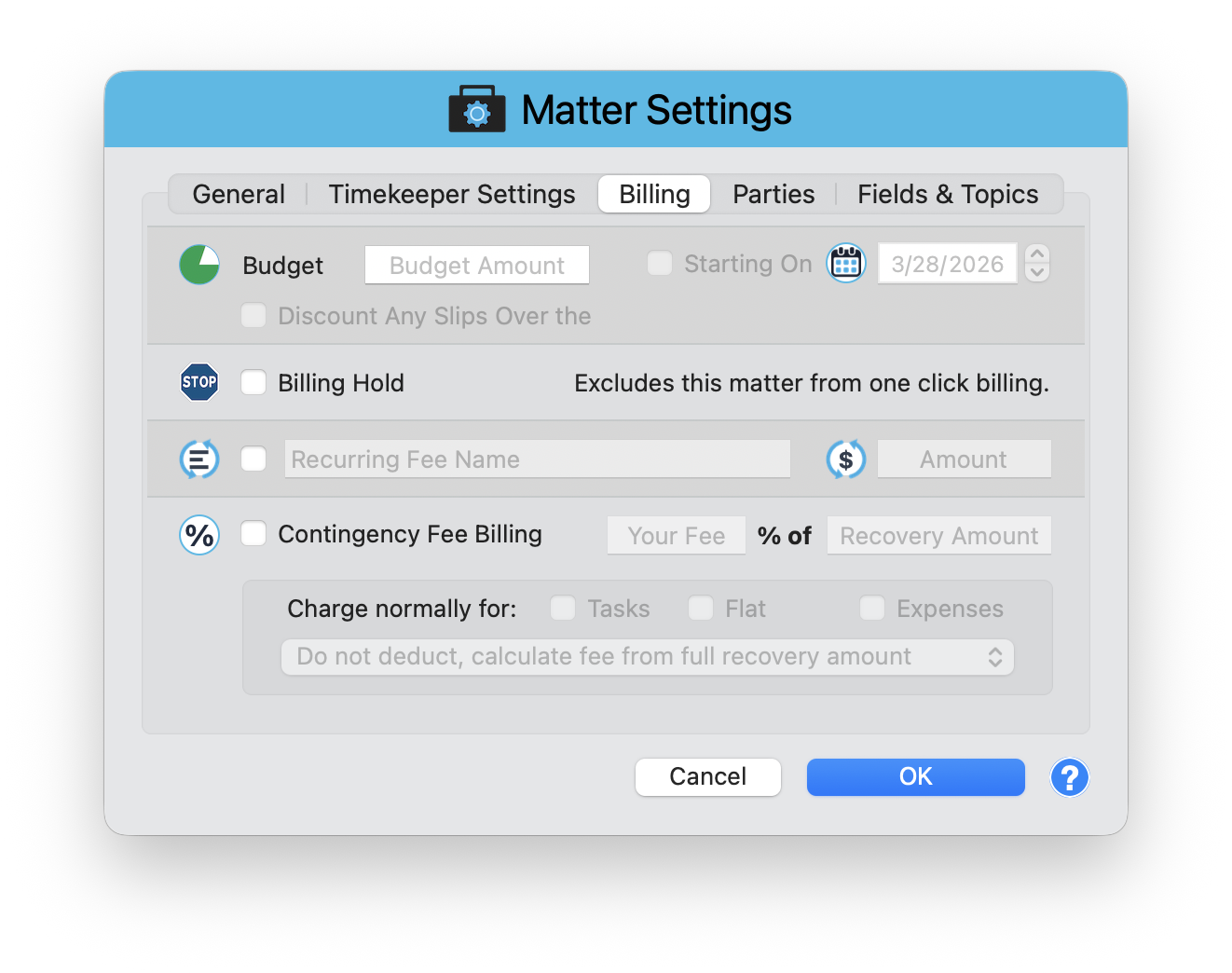
Recurring fees are configured in Matter Settings > Billing tab. Open the Matter window, click Matter Settings in the toolbar, then select the Billing tab.
Enable the Recurring Fee
Check the Recurring Fee checkbox to activate the feature for this matter.
Enter the Fee Name
Type a descriptive name for the charge, such as "Monthly Retainer" or "Document Hosting Fee." This name appears on the invoice.
Set the Amount
Enter the dollar amount for each cycle. The fee is added automatically when you generate invoices for the matter.
How It Works
Once configured, the recurring fee appears alongside time entries and expenses when you create an invoice. There is nothing to remember or manually add each month. The fee shows as its own line item on the invoice with the name you specified.
The Billing tab also contains Budget, Billing Hold, and Contingency Fee settings. Review all of them when setting up a new matter to make sure your billing configuration is complete from day one.
Common Uses
- Monthly retainer - A fixed fee charged every billing cycle for ongoing availability
- Flat-rate services - Regular charges for document storage, compliance monitoring, or advisory services
- Subscription billing - Any repeating charge that should appear on every invoice
Set It and Forget It
Recurring fees eliminate one more manual step from your billing process. Configure the fee once in Matter Settings, and it takes care of itself from there.
Keep exploring:
- Matter Budgets - set spending caps and track progress
- Contingency Billing - track matters where fees depend on case outcome
- Split Billing - divide costs across multiple responsible parties
Need Help Setting Up Recurring Fees? Perry Can Help.
Screen share with Perry and he will walk you through configuring recurring fees for your specific billing arrangements.