Budgets let you set a spending cap on any matter. Whether you are working a fixed-fee engagement, managing an insurance defense panel, or handling a corporate client with strict spending limits, budget tracking keeps you informed before costs spiral.
Setting Up a Budget
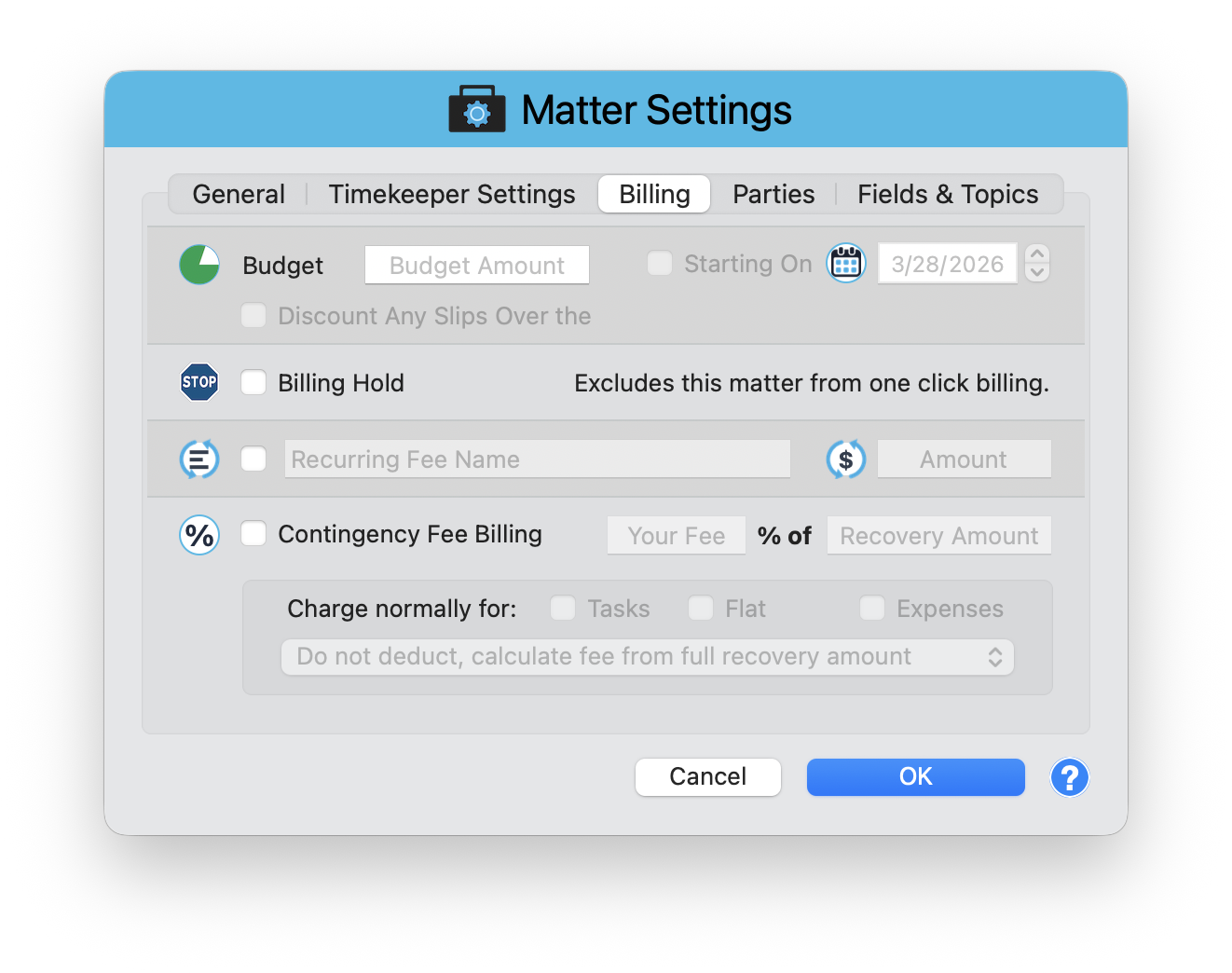
Budgets are configured in Matter Settings > Billing tab. Open the Matter window, click Matter Settings in the toolbar, then select the Billing tab.
Budget Amount
Enter the total dollar amount for the matter in the Budget Amount field. You can also set an optional Starting On date to define when the budget period begins.
Automatic Over-Budget Discounts
Enable the "Discount Any Slips Over the" checkbox to automatically apply a discount to time entries that push the matter over its budget. This prevents accidental overbilling on capped matters. When an entry crosses the budget threshold, only the portion within budget is billed at full rate.
Tracking Budget Progress
Once a budget is set, the matter's entry view shows how much has been consumed versus what remains. This gives you a real-time snapshot of where the matter stands financially, so you can adjust staffing or scope before it is too late.
Review budgets regularly during active matters. Catching a budget issue at 70% is much better than finding out at 110%.
Billing Hold
On the same Billing tab, you will find the Billing Hold option with a STOP icon. Enabling this excludes the matter from one-click billing, so it will not be included when you batch-generate invoices. Time entries are still tracked normally, but no invoices are produced until you release the hold.
This is useful for matters under dispute, awaiting approval, or on pause. You can continue recording time without accidentally billing the client.
Stay on Budget, Stay Profitable
Budget tracking turns your matter into a managed project. Set the cap, enable automatic discounts if needed, and monitor progress as work is performed. Combined with Billing Hold for paused matters, you have full control over when and how much gets billed.
Keep exploring:
- Recurring Fees - automate regular charges for any matter
- Contingency Billing - track matters where fees depend on case outcome
- Split Billing - divide costs across multiple responsible parties
Budget Setup Questions? Perry Can Help.
Perry can walk you through setting up budgets for fixed-fee, capped, and corporate client matters.